What Is an AI Agent? How It Differs from a Chatbot and Where MCP Servers Fit
A practical guide to AI agents: the difference between chatbots and agents, the plan-tool-observe-verify loop, how to build a first agent, and what MCP servers actually do.
What is an AI agent? Search interest around AI agents now covers more than a definition. People also want to know how to build an AI agent, how agents differ from chatbots, what MCP servers do, and where agent workflows make sense.
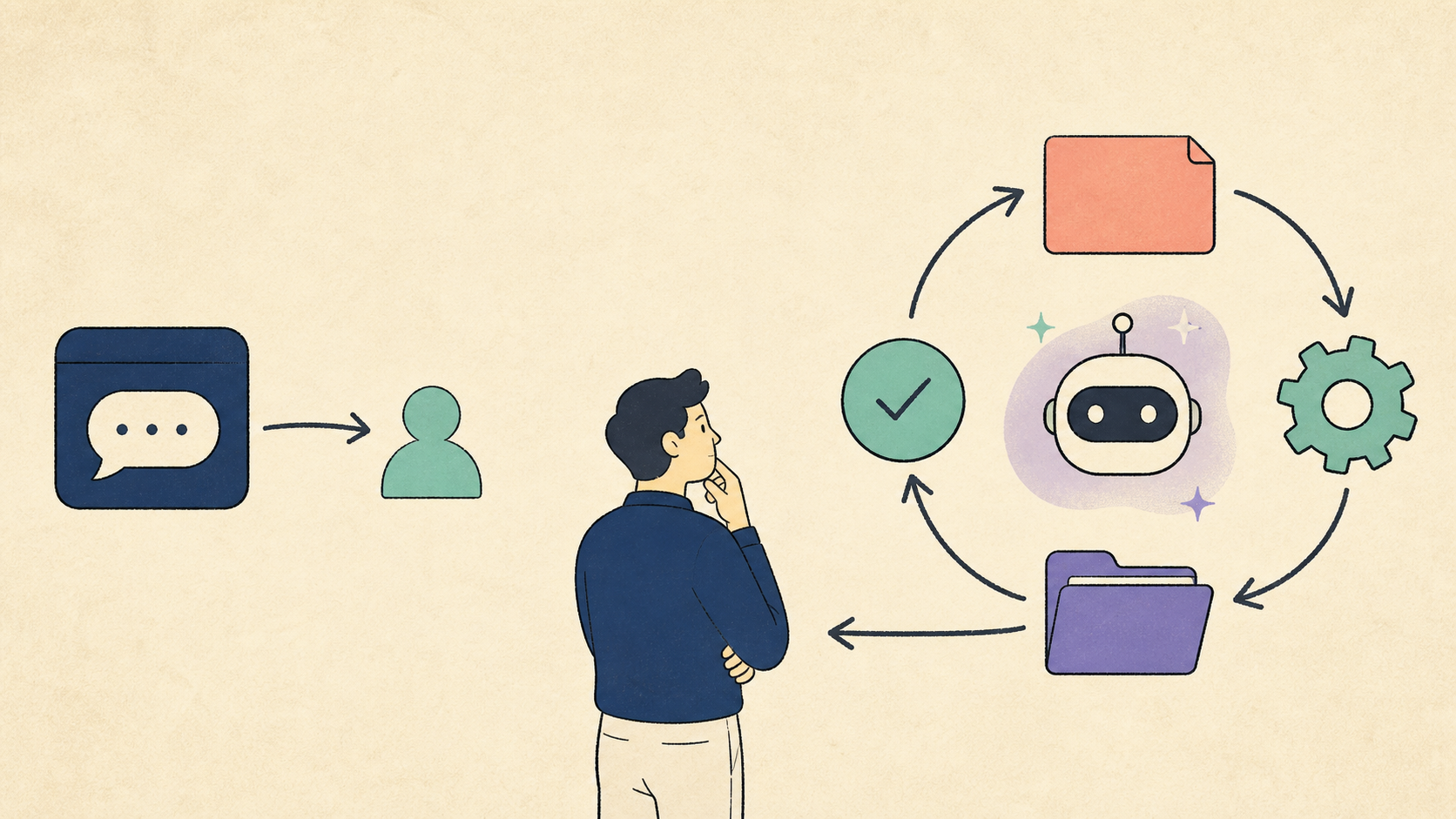
The key difference is not the tone of the answer. An AI agent is an application that can decompose a goal, call tools, observe results, and continue or stop based on what it finds.
This guide explains the difference between chatbots and agents, the execution loop, MCP servers, a practical way to build a first agent, and examples for a solo developer.
What is an AI agent?
OpenAI describes agents as applications that plan, call tools, collaborate across specialists, and keep enough state to complete multi-step work.
Anthropic draws a useful architectural distinction:
- Workflows: LLMs and tools follow predefined code paths.
- Agents: the LLM dynamically directs the process and tool usage.
A simple comparison is:
- Chatbot: question → answer
- AI agent: goal → plan → tool call → observation → verification → next action
A request such as “summarize this meeting” may only need one model call. A request such as “find recurring problems in the last 30 days of customer feedback and propose the next experiments” requires search, classification, evidence checking, and document generation. That is a better fit for an agentic workflow.
Not every AI feature needs an agent. Static answers, FAQ routing, and deterministic transformations are often cheaper and easier to operate as regular code or a single LLM call.
Chatbots and AI agents: what changes?
The chatbot path
User question → Model answer
This works when all the necessary information is already in the input and the result is a response.
The agent path
Goal
  → Decompose the task
  → Select tools
  → Execute
  → Observe the result
  → Verify
  → Continue or stop
The difference is an execution loop that can read from or act on external systems.
How does an AI agent work?
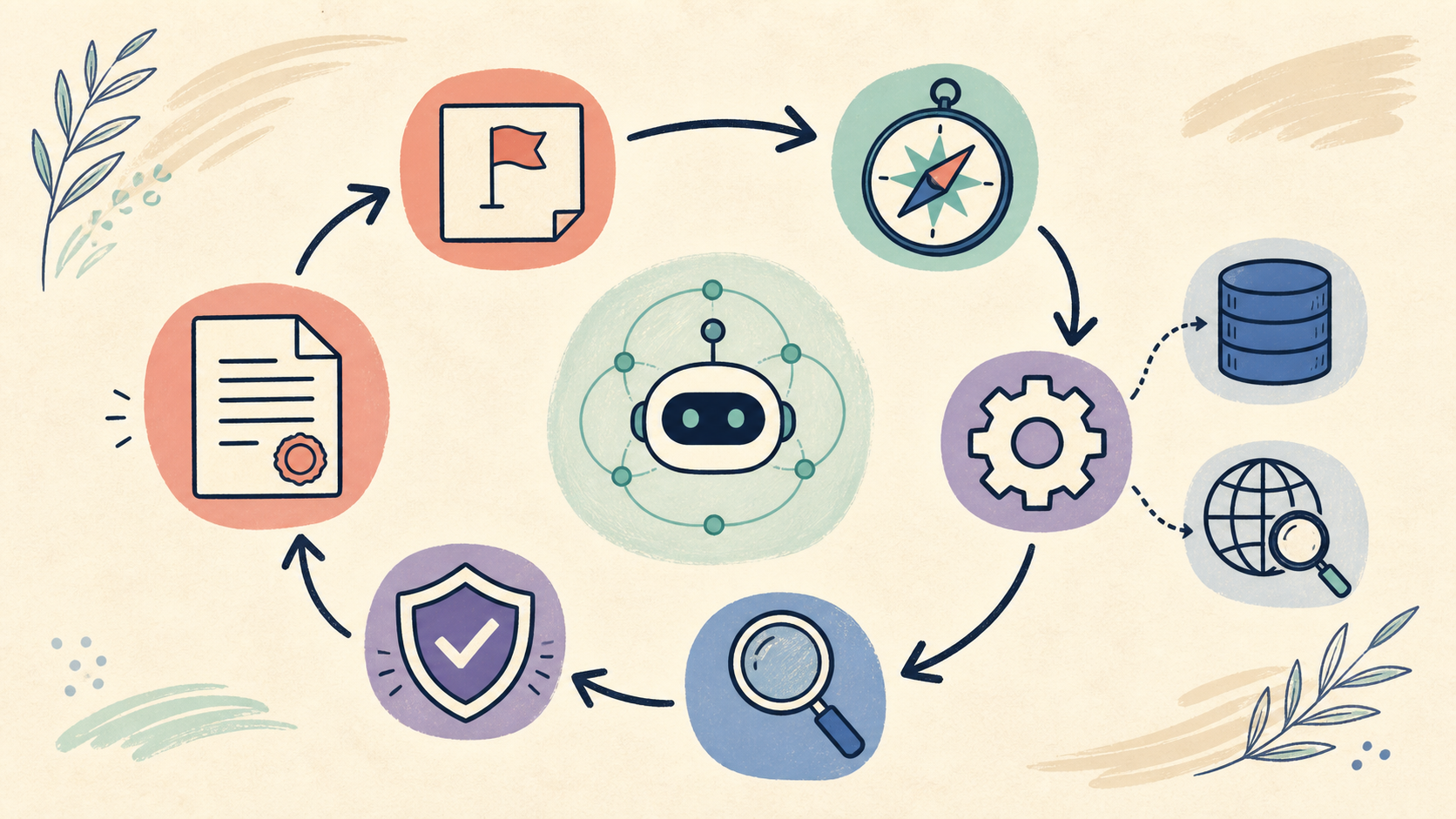
Agent quality depends on more than the model name. The important design questions are what context the model receives, which tools it can use, and how it verifies results.
1. Define the goal
“Organize my materials” is vague. “Find recurring customer problems in the last 30 days and produce three experiment candidates with evidence” is a usable goal.
2. Break the work down
The agent can split the goal into search, file reading, grouping, comparison, and document generation.
3. Call tools
Tools may include search, files, databases, calendars, code execution, or product APIs. More tools do not automatically make a better agent. Each tool needs a clear read/write boundary.
4. Observe results
A tool call is not the end of the task. Search results may be empty, a document version may be stale, or an API may fail.
5. Verify and stop
Before returning a result, check the evidence, scope, time range, and whether an external change is allowed. Publishing, deleting, paying, and deploying should normally pause for human approval.
Types of AI agents
There is no single universal taxonomy, but these three levels are useful in practice.
Single-task agent
A narrow goal with a small set of tools:
- extract fields from a document;
- classify GitHub issues;
- draft release notes;
- route customer questions.
Workflow-oriented agent
The sequence is mostly fixed in code, while the model handles intermediate judgment.
Voice memo → transcript → fact card → blog draft → social drafts
This is usually the best place to start because it is easier to debug.
Dynamic agent
The model chooses which tools to use and in what order. This is flexible, but it can increase cost, latency, and failure surface.
Anthropic recommends starting with the simplest workable design and adding agentic complexity only when flexibility is worth the tradeoff.
How to build an AI agent
Start with one repeated task
Do not start with “run my company.” Pick one outcome:
- summarize new AI news with sources;
- classify customer questions;
- turn code changes into release notes;
- extract a fixed set of fields from documents;
- turn work logs into blog topics.
Fix the input and output contract
Input: raw note, date, related links
Output: title, summary, evidence links, uncertainty, next action
A stable output makes validation and human review much easier.
Connect read-only tools first
Start with search and read operations. Add publishing, deletion, payment, or deployment only after an approval layer exists.
Keep a failure record
Record whether the search was empty, the wrong document was used, permission was missing, the output schema failed, or a human held the action.
What is an MCP server?
MCP, or Model Context Protocol, is an open standard for connecting AI applications to external systems. The official documentation describes MCP as a way for AI applications to use external data sources, tools, and workflows.
Its architecture includes:
- Host: an AI application such as Claude, ChatGPT, or an IDE;
- Client: the component inside the host that manages a connection;
- Server: a program that exposes external data or capabilities.
MCP servers can expose:
- Resources: data and context an AI can read;
- Prompts: reusable prompts and workflows;
- Tools: functions an AI can call.
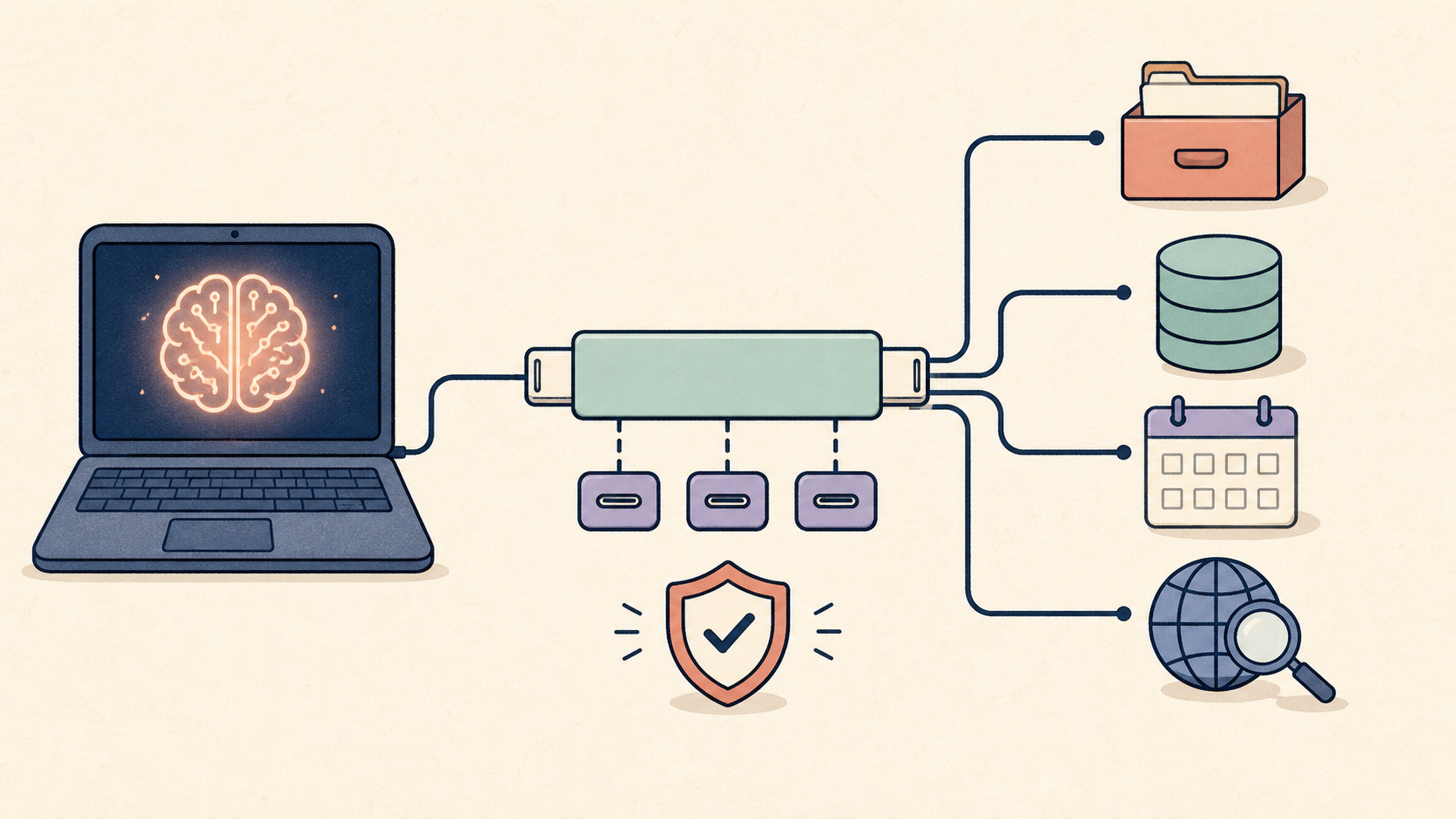
MCP is not the agent itself. It standardizes an important boundary so an agent can access external context and tools through a reusable interface.
AI agent use cases for a solo developer
Content research agent
Google News and official docs
→ keyword grouping
→ source check
→ search intent
→ topic candidates
The agent should not choose the final topic without review. Recentness, search intent, and fit with the founder’s point of view still need a human decision.
Product knowledge agent
Connect PDFs, GitHub, URLs, and Notion materials to draft product answers and documents. Specify is being built around this kind of connected knowledge workflow.
Content repurposing agent
A long-form post can produce a Reel script, carousel outline, Threads post, Story question, alt text, and source list. The wording still needs to be adapted to each platform rather than copied everywhere.
Release-note agent
Read code changes and issues, then draft a user-facing changelog. Publishing the announcement should remain a separate approved action.
Which AI agent tools should you start with?
Choose by use case rather than looking for one universal winner.
- Code-first agent apps: OpenAI Agents SDK or Claude Agent SDK;
- MCP integrations: the MCP SDKs and Inspector, plus the MCP features supported by your host;
- Visual workflows: tools such as n8n;
- Simple document work: a normal LLM call plus retrieval may be better than an agent.
Start with one read-only task and collect failures before building multi-agent orchestration.
Limits and safety
An agent that performs many steps is not automatically correct.
- It may use the wrong source and produce a plausible answer.
- Broad permissions can cause unwanted changes.
- Errors can accumulate across a long run.
- External state can change while the agent is working.
- Cost and latency can exceed a single model call.
The key design question is not only when an agent can act. It is when it must stop and ask a person.
Conclusion
An AI agent is not simply a chatbot with a longer answer. It is a system that decomposes a goal, uses tools, observes results, verifies them, and decides whether to continue.
A practical starting sequence is:
- Pick one repeated task.
- Define an input and output contract.
- Connect one read-only tool.
- Add a human review point.
- Keep a failure log.
Building an AI agent does not mean handing the company to AI. It means making the work that still needs human responsibility more explicit.
References
- OpenAI, Agents SDK
- Anthropic, Building effective agents
- Model Context Protocol, What is MCP?
- Model Context Protocol, Architecture overview
- Model Context Protocol, Latest specification
- OpenAI Agents SDK Python, Agents
- Specify
Related articles
Designing Agent Observability: Leave Improvement Loops, Not Just Logs
When coding agents become part of team operations, prompts are not enough. This guide shows how to connect traces, decision logs, evals, and regression checks into an improvement loop for AI-native development.
An Operating Model for AI Agent Sandboxes: Permissions, Networks, and Worktrees
To use coding agents more often, teams do not need heavier supervision. They need clearer boundaries. This guide turns permissions, network access, worktrees, and CI gates into a practical sandbox operating model.
Delegation Packets for AI-Native Teams: The Small Spec Coding Agents Need
Claude Code, Codex, and other coding agents do not need longer prompts as much as they need better delegation packets. This practical guide shows how to define outcome, scope, permissions, verification, and stop conditions before handing work to an agent.